Email Routing forwards mail, it doesn't store it. Here's the pattern for building a real inbox on top of it using Email Workers, R2, Queues, and D1, taken apart from Mailflare, an open-source client that does exactly that.
Cloudflare Email Routing looks like a free lunch the first time you meet it. You move your MX records over, add a domain, and mail addressed to you@yourdomain.com just starts arriving. No Workspace bill. No Fastmail seat. For roughly the price of a domain you appear to have a self-hosted inbox.
Then you go looking for where that mail is actually kept, and there's nothing. No mailbox, no store, no "messages" tab anywhere in the dashboard.
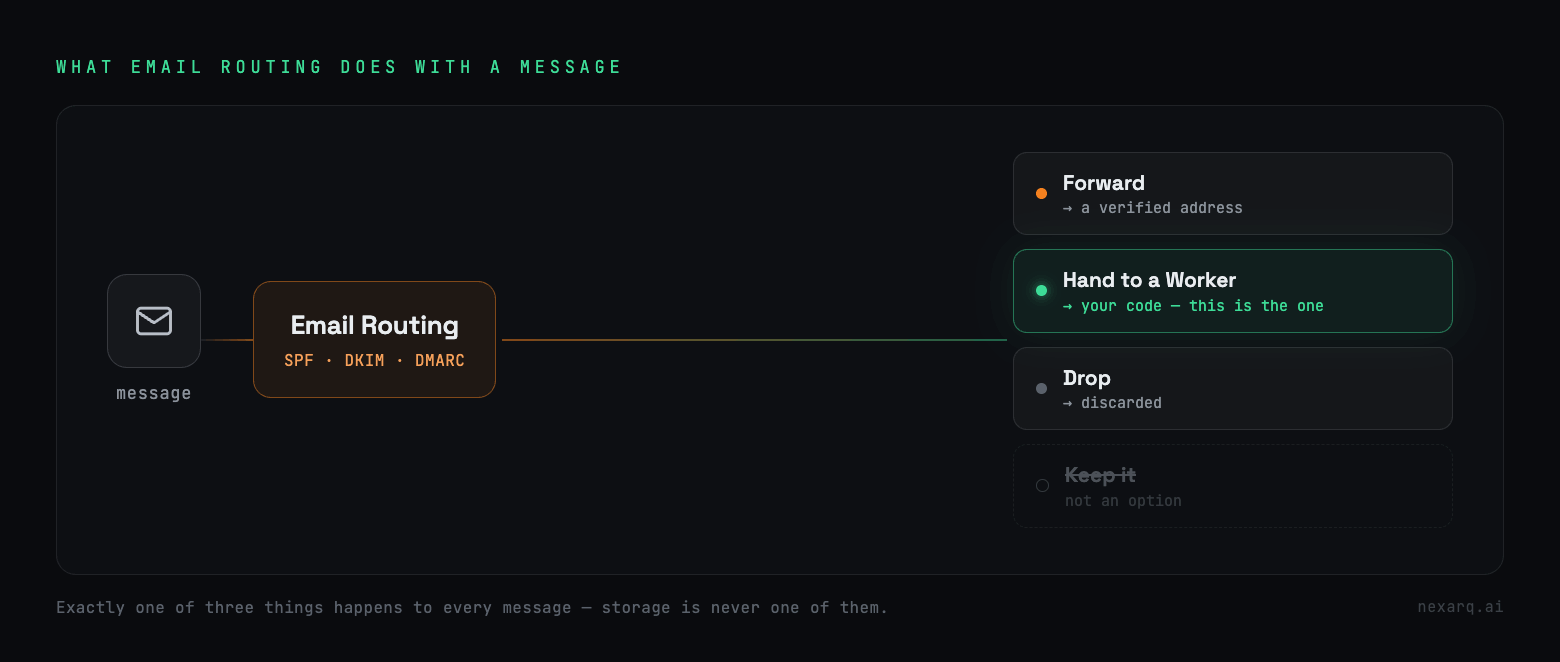
Email Routing isn't a mailbox and was never pretending to be one. It's a router. A message lands on Cloudflare's MX servers, gets checked for SPF/DKIM/DMARC, matched against your rules, and then exactly one of three things happens to it: it's forwarded to some verified address elsewhere, handed to a Worker, or dropped. Cloudflare's own email lifecycle docs list those three actions. "Keep it" isn't one of them.
So the moment you want a real inbox, something you can open next Tuesday, search, mark read, reply from, the storage becomes your job. Cloudflare takes the letter at the door and hands it to you. Where it lives after that, it does not care.
I went through Mailflare to see how someone actually pulls this off. It's an open-source email client that runs entirely on Cloudflare, and the storage trick underneath it is small enough to lift in an afternoon. Three pieces carry the weight: an Email Worker catches the mail, R2 and D1 hold it, and a Queue sits in the middle so nothing blocks.
There are two ways to end up with an inbox like this. Build it yourself, which is what the rest of this post is about, or skip the work and deploy a running copy straight from the repo.
The one-click path, and its one catch
If you'd rather run Mailflare than rebuild it, the repo ships a Deploy to Cloudflare button that carries most of the load. Hit it and Cloudflare clones the repo into a fresh repository on your own account, reads the wrangler config, provisions the Worker along with the D1 database and R2 bucket it declares, runs the D1 migrations, builds the OpenNext Worker, and sets up push-to-deploy so every commit to your main branch ships itself. One thing is worth knowing before you assume it's fully hands-off. The app needs a runtime CF_TOKEN scoped for Email Routing and Email Sending to drive the onboarding APIs, and that token is deliberately not the deploy token Cloudflare already holds, so it won't be handed to the app for you. You mint that one yourself with Zone Read plus the three Email edit scopes, paste it in, and the domain and mailbox setup comes alive.
That's the shortcut. If you'd rather build your own than run theirs, the rest of this walks through how it works underneath.
Routing to a Worker instead of a mailbox
The move that makes all of this possible is pointing an address at a Worker instead of at another inbox. You export an email() handler next to the usual fetch(), and when mail arrives for that address Cloudflare calls it and hands you the message.
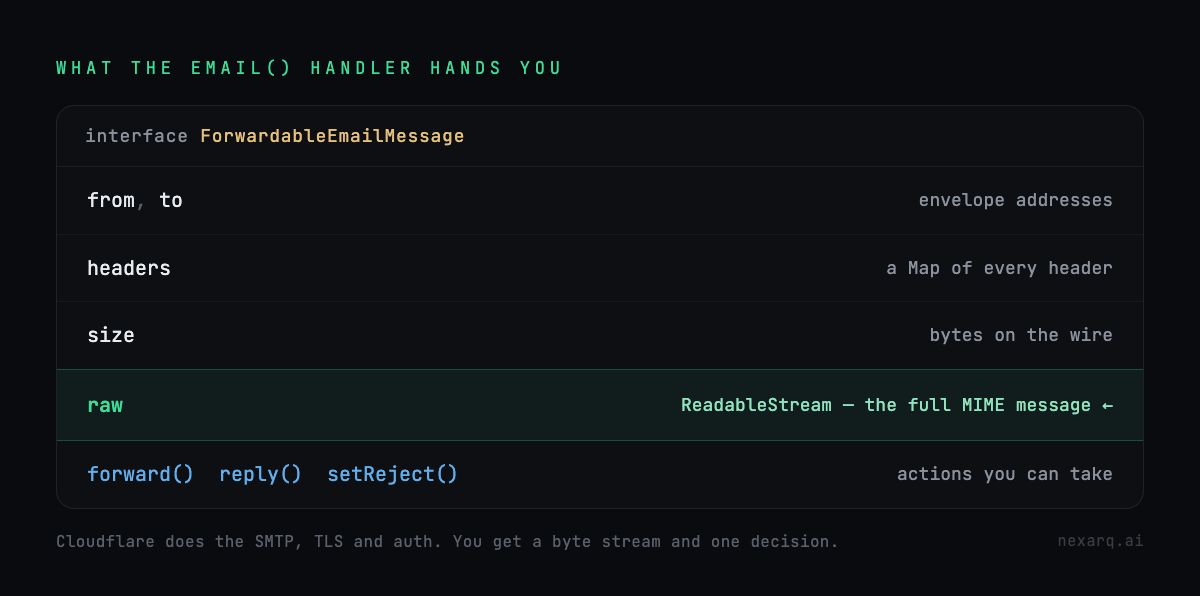
What you get is a ForwardableEmailMessage. The envelope from and to, the headers, the size, and the one that matters: raw, a ReadableStream of the full MIME message. There's also forward(), reply(), and setReject() if you want to bounce something. All of it is in the Email Workers handler API .
This is the seam the whole design hangs off. Cloudflare has already done the parts you don't want to own, the SMTP conversation, the TLS, the auth checks, and leaves you holding a stream of bytes and one decision. Past this point, everything is yours.
Here's Mailflare's handler with the noise stripped out:
async email(message: ForwardableEmailMessage, env, ctx) {
  try {
    // Dump the raw message straight into R2, untouched.
    const rawR2Key = await storeRawToR2(env, message.from, message.to, message.raw);

    // Drop a tiny pointer on the queue and get out.
    await env.INBOUND_QUEUE.send({
      from: message.from,
      to: message.to,
      rawR2Key,
      headers: Object.fromEntries(message.headers),
    });
  } catch (err) {
    message.setReject("Processing failed");
  }
}
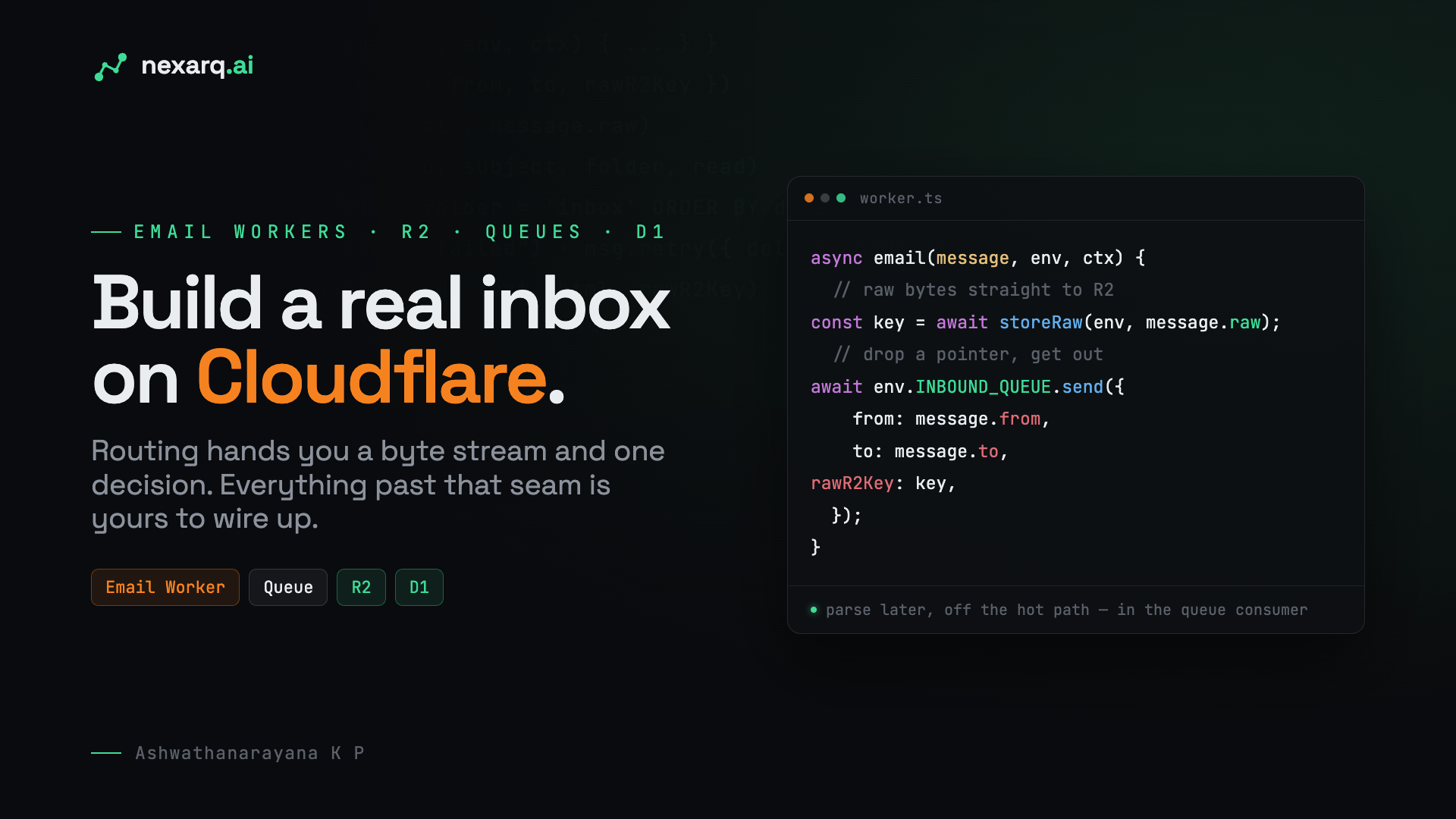
That's the whole thing on the hot path. It doesn't parse the message, it doesn't open the database, it doesn't work out which folder the mail belongs in. It writes the raw .eml to R2, puts a small pointer on a queue, and returns. The reason it's this lazy is the entire point.
Why it doesn't just parse the mail right there
Parsing inbound mail inside the email() handler is the obvious thing to reach for, and it's a trap.
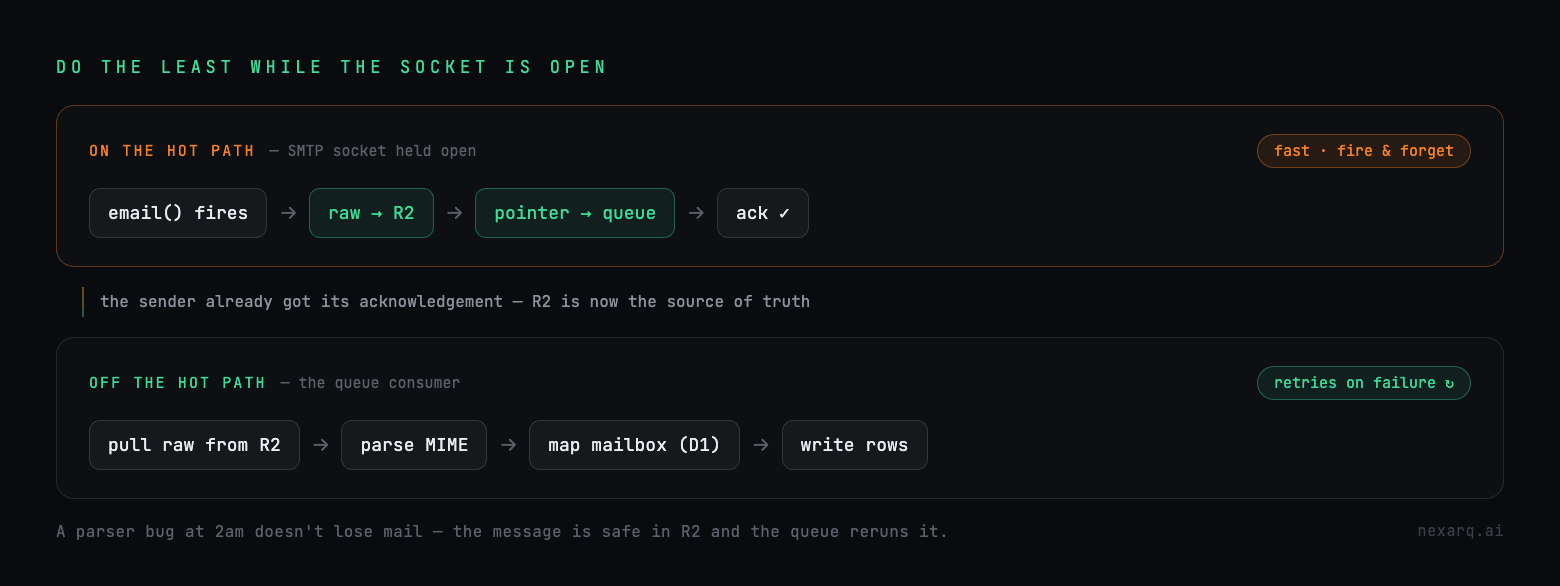
That handler runs while the SMTP transaction is still open. Another mail server is sitting on the far end of a socket waiting for you to say "got it." Every millisecond you spend parsing MIME, checking routing rules, and writing rows is a millisecond that socket stays open. Take too long and the sender starts timing out and retrying, and for email a retry means the same message turns up twice.
So Mailflare does the least it can get away with in the handler: raw bytes into R2, pointer onto the queue, done. R2 is the source of truth from that instant. If everything downstream falls over, the original message is still sitting in a bucket and the sender already got its fast acknowledgement.
The real work runs later, in the queue consumer, off the critical path:
processInboundMessage is where the mailbox logic actually lives. It figures out which mailbox the address maps to (reject it, forward it, or land it in an inbox, all decisions it reads out of D1), pulls the raw .eml back out of R2, parses the MIME, and writes the structured result. Because this side is a queue, a failure just retries. A parser bug at 2am doesn't lose anyone's mail. The message is safe in R2, the queue reruns it, and you fix the parser after coffee.
Raw in R2, parsed in D1
Inside the consumer the storage splits in two, and that division is the part worth stealing.
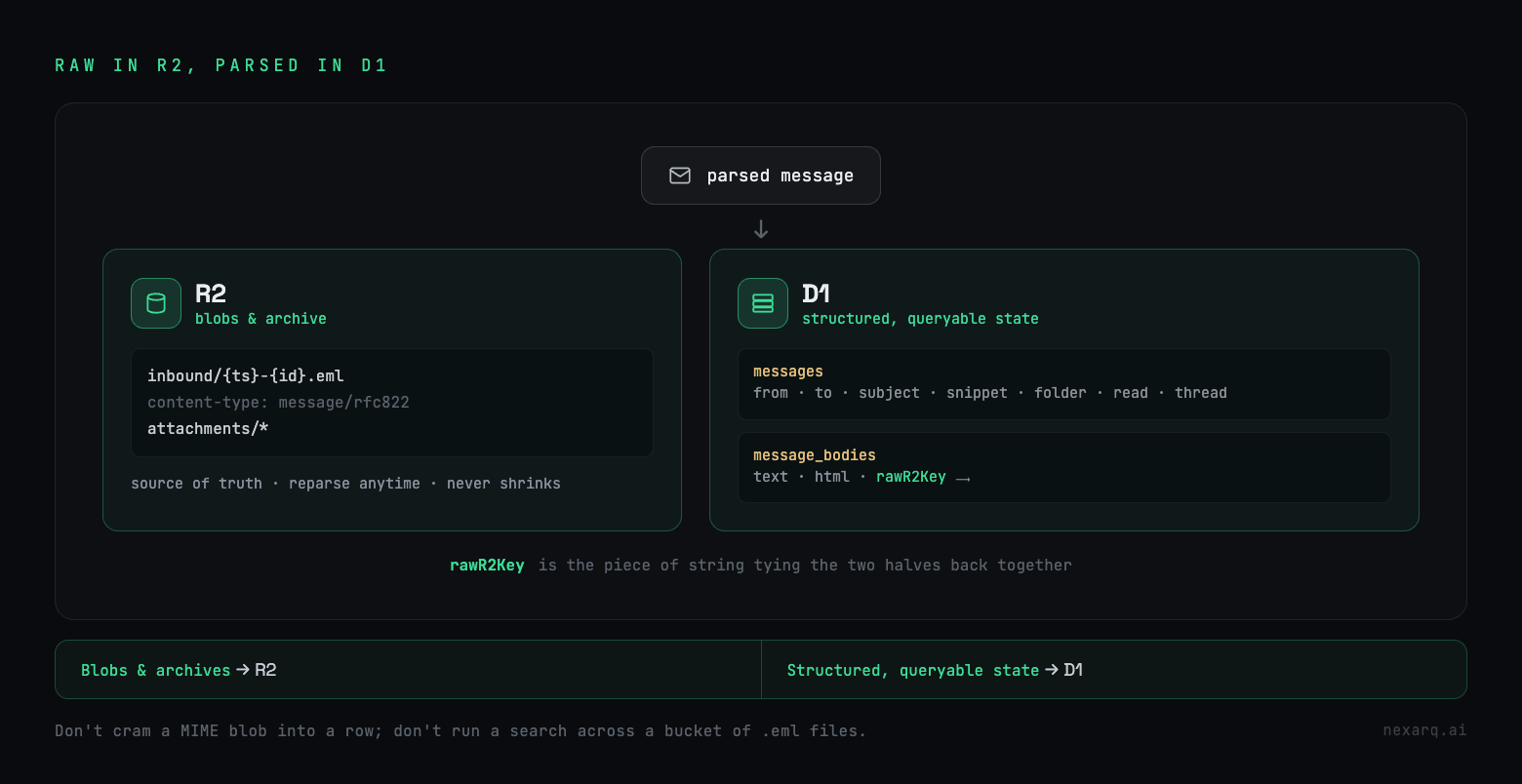
The raw message goes to R2 exactly as it arrived, byte for byte, under a key like inbound/{timestamp}-{id}.eml with a message/rfc822 content type. Attachments go to R2 as well. This is the archive and the source of truth. Anything you didn't parse today you can pull back and parse tomorrow, and Mailflare leans on this directly: it reopens the raw object in R2 to dig List-Unsubscribe links out of the headers when it needs them, instead of trying to extract every possible field up front.
The parsed version goes to D1. Once the MIME is cracked open, the structured data spreads across a couple of tables. A messages table holds the envelope and metadata, from, to, subject, snippet, folder, read status, thread id. A message_bodies table holds the extracted text and HTML, and it keeps a rawR2Key column pointing back at the original .eml so every parsed message knows where its raw form is.
The rule underneath this is one you'll reuse far past email. Blobs and archives belong in R2. Structured, queryable state belongs in D1. You don't cram a raw MIME message or a PDF attachment into a database row, and you don't run a folder listing or a search across a bucket full of .eml files. D1 is SQLite, it's for the stuff you filter and sort and join. The rawR2Key column is the piece of string tying the two halves back together.
Where it bites
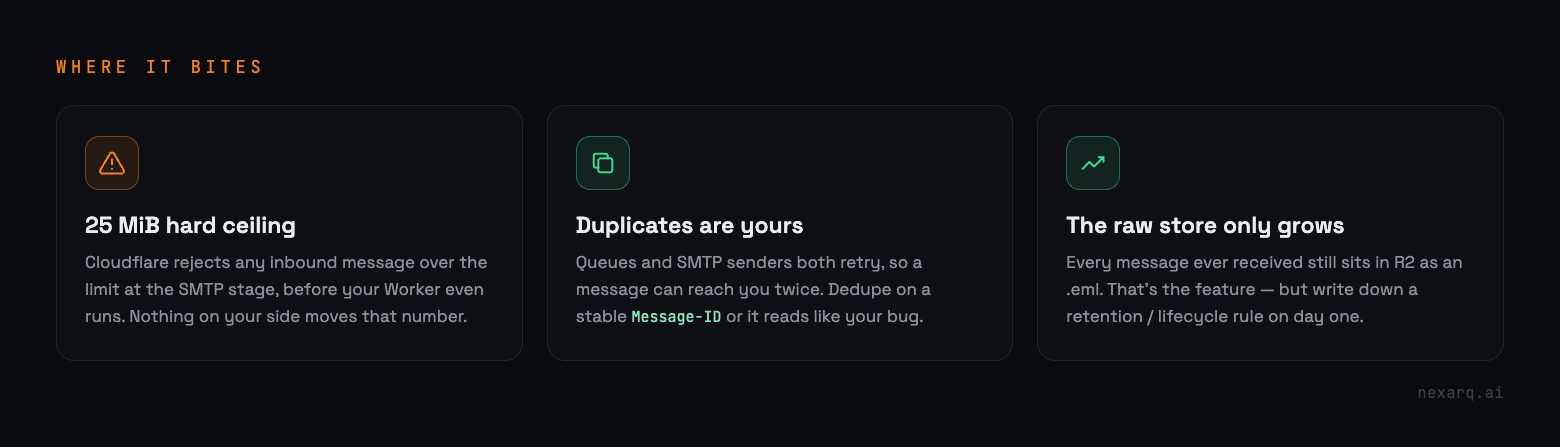
Three things will bite you if you build this yourself.
The first is a hard size ceiling. Cloudflare rejects any inbound message over 25 MiB at the SMTP stage, before your Worker even runs, so that's the ceiling on a single mail plus its attachments. Nothing on your side moves that number.
Duplicates are your problem, not Cloudflare's. Queues retry and SMTP senders retry, so the same message will occasionally reach your consumer more than once. If you aren't deduping on something stable like the Message-ID header, the same email ends up in the inbox twice and it reads like your bug.
And the raw store only grows. Every message you've ever received is still sitting in R2 as an .eml. That's the feature, it's what lets you go back and reparse, but the bucket never shrinks on its own. Retention or lifecycle rules are a day-two job you'll want to at least write down on day one.
Cloudflare hands you the parts, not the product
The "it only forwards" thing sounds like a limitation and mostly isn't. It's the clean version. Cloudflare keeps the miserable, security-critical half, receiving SMTP, running the auth, deciding where a message goes, and hands you a byte stream at a tidy seam. What you build past that seam is an ordinary problem with ordinary tools. A queue so the front door stays fast. A bucket holding the raw truth, a database holding the view you click around in.
So no, strictly, Cloudflare won't store your email. But it gives you every part you need to store it yourself, on infrastructure you own, without running a mail server or renting a seat off anyone. Mailflare is one way to wire those parts together. Once you've seen the shape, it isn't a hard thing to build.


No comments yet