
How to Access Private AWS S3 Buckets from Cloudflare Workers using aws4fetch
Keep S3 private, sign requests at the Cloudflare edge with SigV4, and stream objects or generate presigned upload URLs from a Worker.
Keep S3 private, sign requests at the Cloudflare edge with SigV4, and stream objects or generate presigned upload URLs from a Worker.
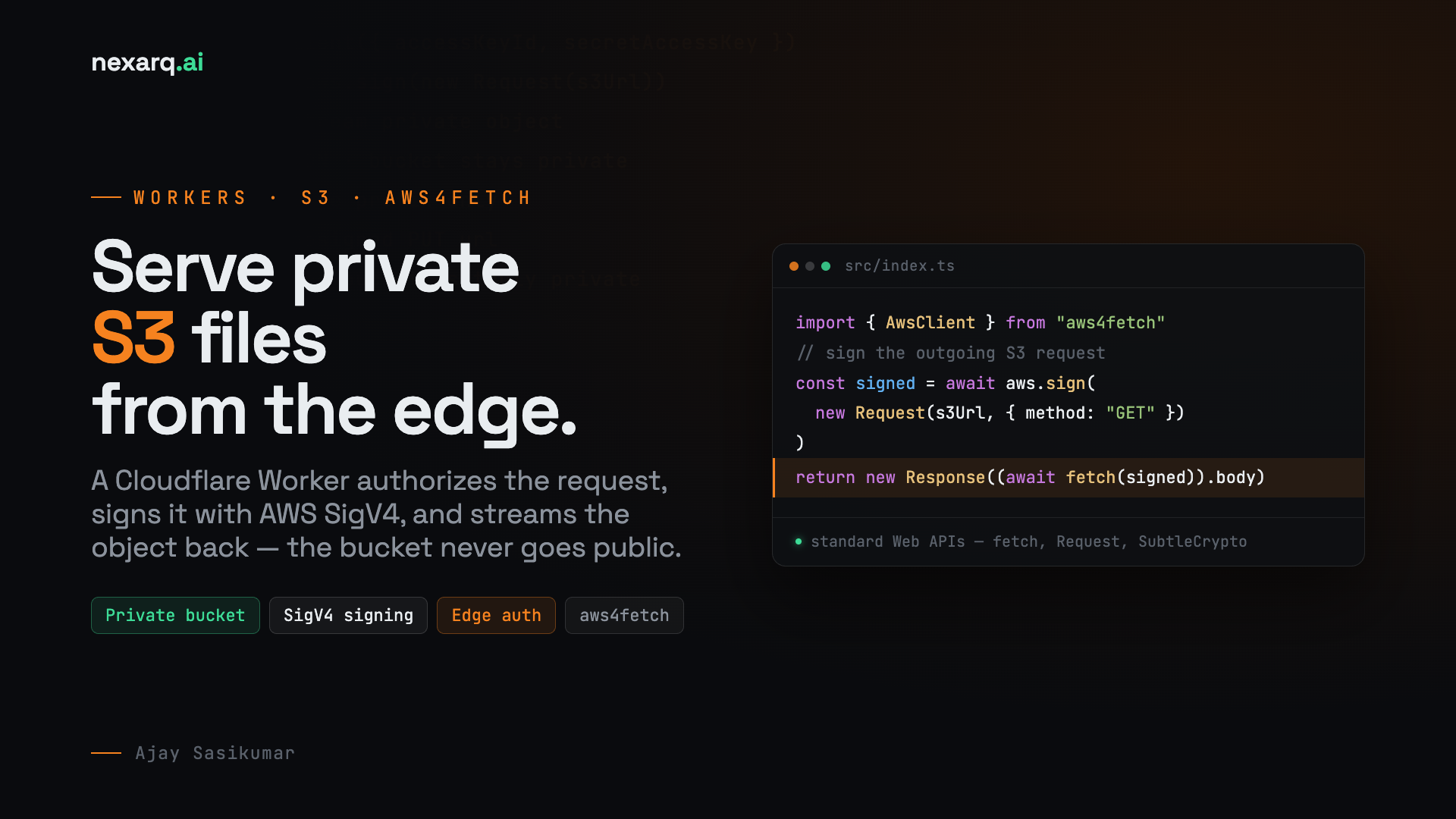
When teams host customer files, invoices, reports, exports, or media in Amazon S3, the safest default is simple: keep the bucket private. The challenge is serving those objects to the right users without opening the bucket to the public internet.
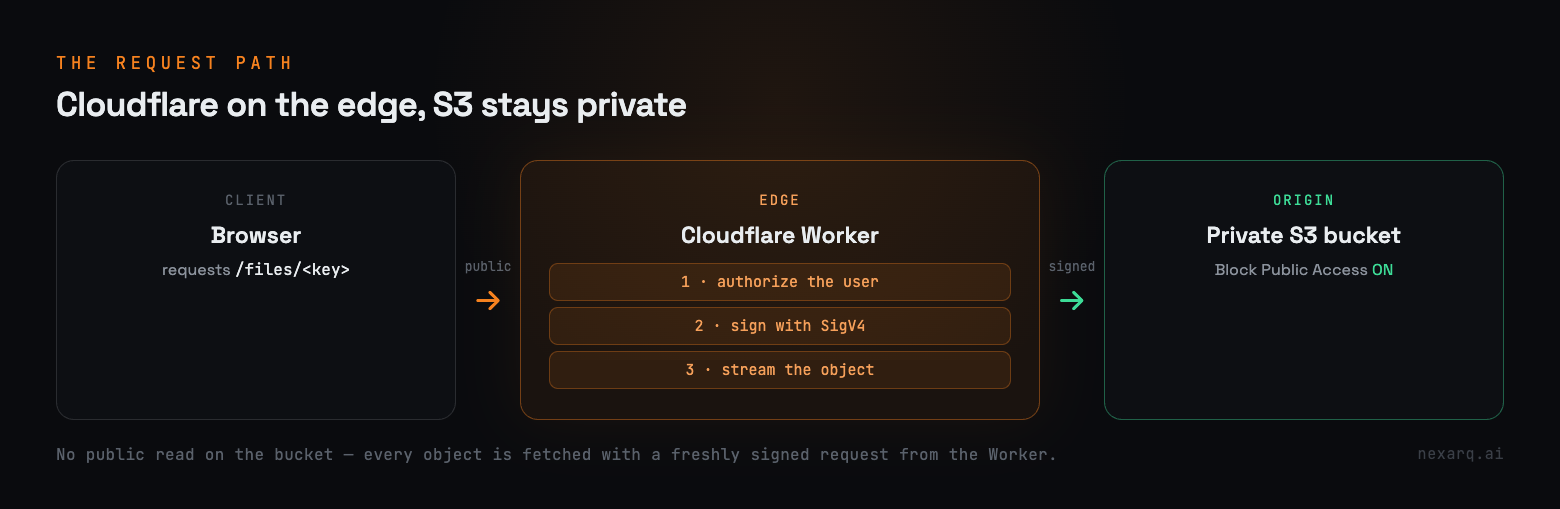
A Cloudflare Worker is a clean place to solve that problem. The Worker receives the public request, runs your authorization logic, signs the outgoing S3 request with AWS Signature Version 4, and streams the private object back to the browser. The S3 bucket never needs public read access.
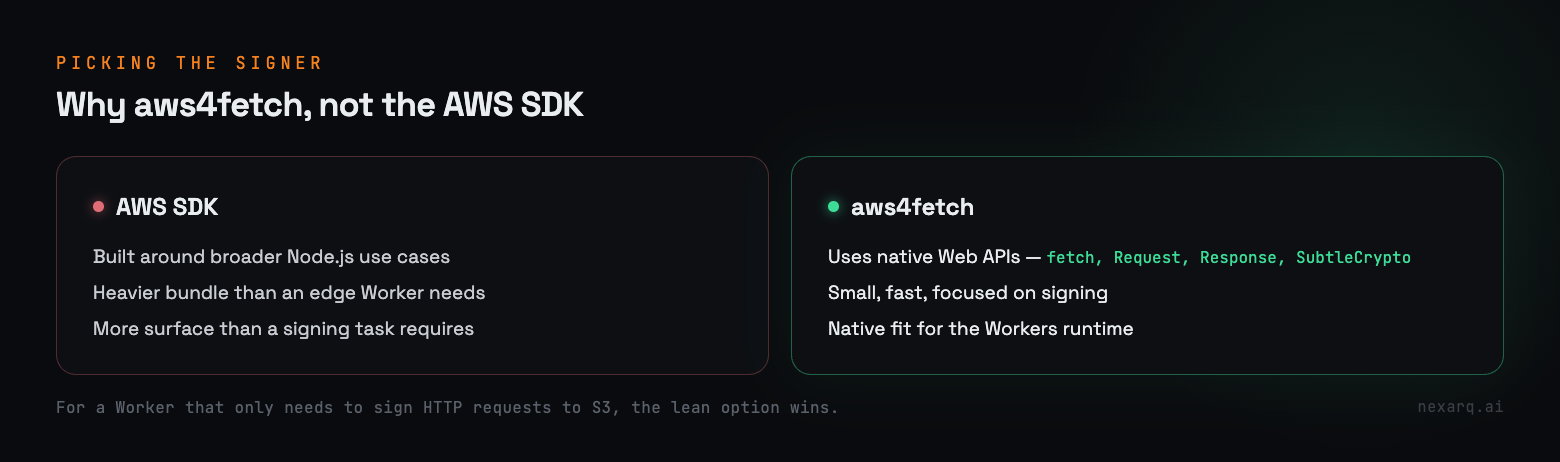
The AWS SDK is powerful, but it is designed around broader Node.js use cases and brings more weight than a small edge Worker usually needs. For a Worker that only needs to sign HTTP requests to S3, aws4fetch is a better fit.
aws4fetch uses standard Web APIs like fetch, Request, Response, and SubtleCrypto, which are native to Cloudflare Workers. It is small, fast, and focused on signing AWS requests.
Start in AWS, not in code. Keep S3 Block Public Access enabled on the bucket. Then create a narrow IAM user or role for the Worker path, such as cf-worker-s3-reader, and grant only the actions it needs.
For download-only access, use s3:GetObject on the exact bucket prefix the Worker should serve. If you also support browser uploads through presigned URLs, add s3:PutObject for that upload prefix. Avoid broad bucket-wide permissions unless the product truly requires them.
Create a Workers project and install aws4fetch.
npm create cloudflare@latest s3-private-worker
cd s3-private-worker
npm install aws4fetch
Store AWS credentials as encrypted Worker secrets. Do not put access keys in wrangler.toml or commit them to the repository.
npx wrangler secret put AWS_ACCESS_KEY_ID
npx wrangler secret put AWS_SECRET_ACCESS_KEY
Keep non-sensitive configuration in wrangler.toml.
name = "s3-private-worker"
main = "src/index.ts"
compatibility_date = "2026-01-01"

[vars]
AWS_REGION = "us-east-1"
S3_BUCKET_NAME = "my-private-aws-bucket"The Worker below supports two routes. /files/<key> streams an object from private S3 after signing the request. /generate-presigned-upload returns a temporary presigned PUT URL that a browser or client can use for upload.
import { AwsClient } from "aws4fetch";

export interface Env {
  AWS_ACCESS_KEY_ID: string;
  AWS_SECRET_ACCESS_KEY: string;
  AWS_REGION: string;
  S3_BUCKET_NAME: string;
}

export default {
  async fetch(request: Request, env: Env): Promise<Response> {
    const url = new URL(request.url);

    const aws = new AwsClient({
      accessKeyId: env.AWS_ACCESS_KEY_ID,
      secretAccessKey: env.AWS_SECRET_ACCESS_KEY,
      region: env.AWS_REGION,
      service: "s3",
    });

    if (url.pathname.startsWith("/files/")) {
      const objectKey = url.pathname.replace("/files/", "");
      const s3Url = `https://${env.S3_BUCKET_NAME}.s3.${env.AWS_REGION}.amazonaws.com/${objectKey}`;

      const signedRequest = await aws.sign(new Request(s3Url, {
        method: "GET",
      }));

      const s3Response = await fetch(signedRequest);

      if (!s3Response.ok) {
        return new Response("Asset not found or access denied", {
          status: s3Response.status,
        });
      }

      return new Response(s3Response.body, {
        status: s3Response.status,
        headers: {
          "Content-Type": s3Response.headers.get("Content-Type") || "application/octet-stream",
          "Cache-Control": "public, max-age=86400",
        },
      });
    }

    if (url.pathname === "/generate-presigned-upload") {
      const fileName = url.searchParams.get("file") || "upload.png";
      const s3Url = `https://${env.S3_BUCKET_NAME}.s3.${env.AWS_REGION}.amazonaws.com/${fileName}?X-Amz-Expires=3600`;

      const presigned = await aws.sign(
        new Request(s3Url, {
          method: "PUT",
          headers: {
            "Content-Type": "image/png",
          },
        }),
        { aws: { signQuery: true } },
      );

      return Response.json({ uploadUrl: presigned.url.toString() });
    }

    return new Response("Worker is active", { status: 200 });
  },
};The signing code proves the infrastructure path, but production systems should authorize the user before touching S3. Validate the session, JWT, API token, tenant membership, object ownership, or entitlement first. Only then build the S3 key and sign the request.
This is also where Cloudflare controls become useful: rate limiting, WAF rules, bot controls, Access, and cache policies can sit in front of the Worker while the bucket stays private behind it.
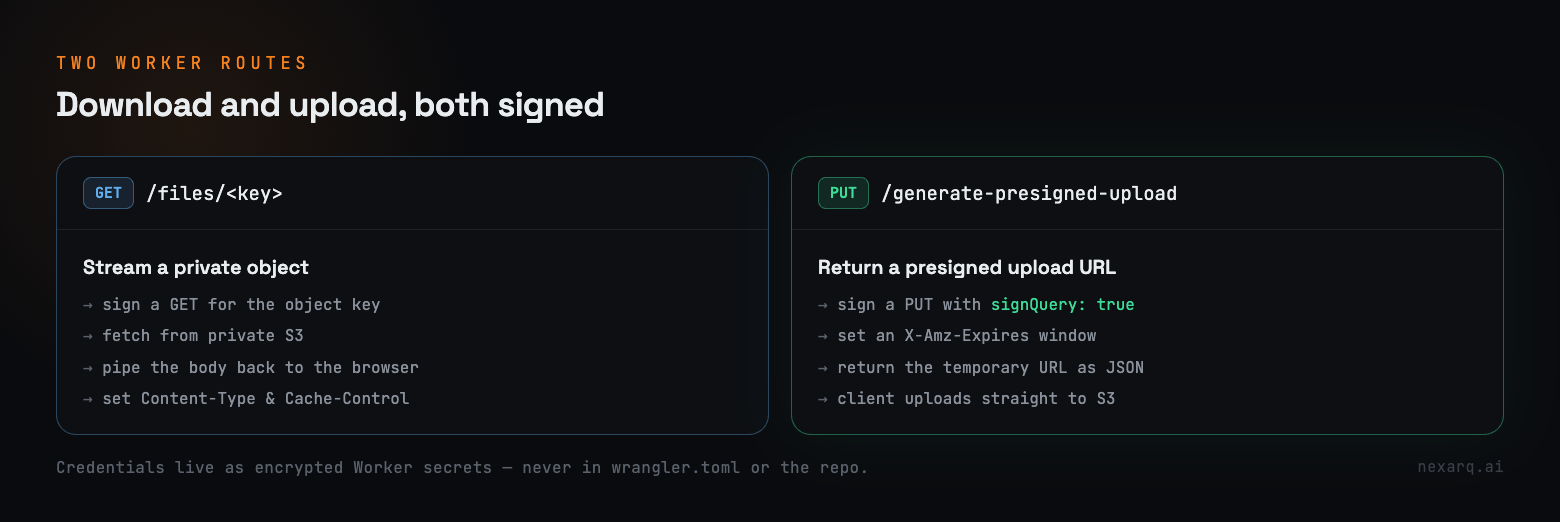
Run the Worker locally with Wrangler, test a known object key, and confirm AWS returns 403 when the request is unsigned or when the Worker lacks permission. That second test is important: it proves the bucket is actually private.
npx wrangler dev
npx wrangler deployYou get private storage, edge authorization, and streaming delivery without exposing S3 publicly. Cloudflare handles the public edge surface. AWS S3 remains the private object store. aws4fetch provides the small piece in the middle: SigV4 signing from standard Web APIs.
For teams building secure document delivery, customer portals, report exports, or controlled media access, this pattern is simple, auditable, and easy to extend.

No comments yet